Have you ever walked by or into a Samsung physical store only for your Galaxy phone to coincidentally send you a notification about one of the latest Samsung deals? Well, it was probably no coincidence.
One of the Samsung services preloaded on your Galaxy device enables that functionality. It's called Samsung Visit In, but the service is not available in every region.
If these in-store notifications bother you, there's no legitimate way to get rid of the Samsung Visit In app itself. But the good news is that you can disable it or turn off its notifications.
How to find Samsung Visit In and change settings
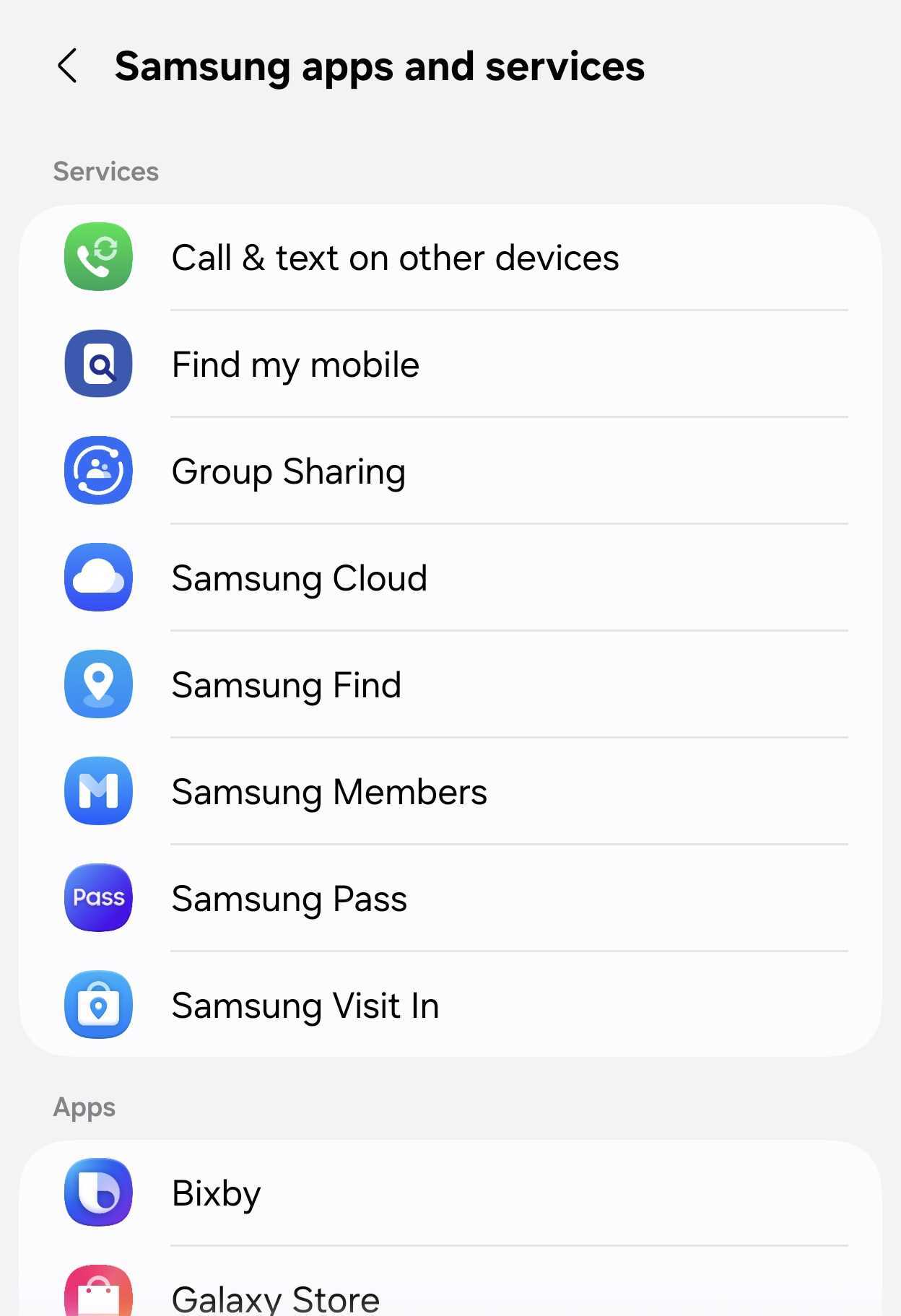
First things first, if you want to find out whether Samsung Visit In is active on your phone in your country: Open Settings > your Samsung account > Samsung apps and services > Samsung Visit In. If it's unavailable, the app will let you know.
NOTE: These steps correspond to the Settings menu structure in Samsung's latest firmware, One UI 9.0.
Samsung Visit In | Source: Mihai Matei / SamMobile
Samsung Visit In | Source: Mihai Matei / SamMobile
Now, we mentioned something about turning notifications off for Samsung Visit In or even disabling the app.
However, because this is a system app, it doesn't have a traditional shortcut you can long-press for extra settings and options. To access more:
Open Settings > Apps > Menu > Filter and sort > Show system apps.
Scroll to and tap Samsung Visit In.
Disable the app or change its notification settings.
Samsung Visit In | Source: Mihai Matei / SamMobile
Samsung Visit In | Source: Mihai Matei / SamMobile
Do keep in mind that, by design, this Samsung app/service is supposed to send you relevant notifications about ongoing deals at retail stores you're visiting.
So, if you're hunting for bargains, you may want to keep it on. The app shouldn't bother you otherwise.





 Loading ...


