So, you just got your new Galaxy S26 FE. If you are a long-time Samsung fan, you may have noticed that the More section of the Camera app, where you can switch between various shooting modes, is a little shorter than you remember.
If the Galaxy S26 FE is your first Samsung phone, you may have heard that Galaxy devices offer features such as Single Take, Dual Recording, and Night mode, only to find that they are nowhere to be seen.
However, Samsung hasn't removed these features entirely. Night mode now appears as a moon-shaped toggle in Photo mode when the phone detects low-light conditions. Dual Recording, or Dual Rec, can be accessed through the quick controls in Video mode.
Single Take is hidden by default, but you can add it â and dedicated Night and Dual Rec modes â to the Moresection using Camera Assistant, a Samsung app that provides additional settings and customization options for the Camera app.
How to enable Night, Single Take, and Dual Rec
If you don't already have Camera Assistant, search for it in the Galaxy Store and install it. Once installed, follow these steps:
Open the Camera app.
Tap the four-dot Quick controls button.
Tap the gear-shaped Settings button.
Select Camera Assistant.
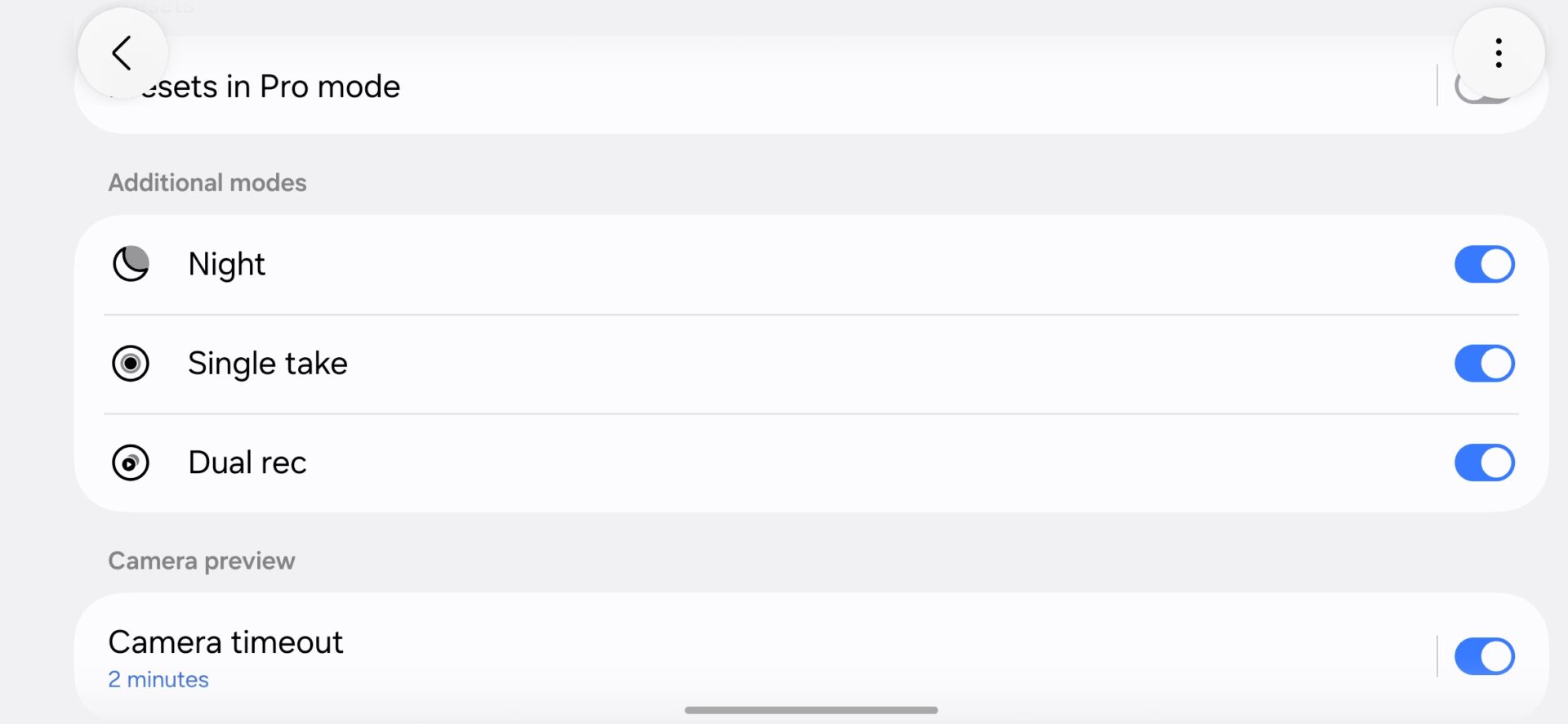
Scroll down to the Additional modes section.
Enable Night, Single Take, and Dual rec.
Enabling Night, Single Take, and Dual Rec modes on Galaxy S26 FE using Camera Assistant | Source: Abhijeet Mishra / SamMobile
Return to the Camera app and open the More section. All three should now appear as dedicated modes.
Of the three, Night can be the most useful mode to enable. The standard Photo mode displays the Night toggle only when the phone decides that a scene is dark enough.
The dedicated mode is always available, so you can use Night mode in borderline low-light conditions where it may improve the photo even though the phone does not activate it automatically.





 Loading ...

